
If as a blogger working with brands is something you would like to do, then having a media kit is a must. (This post is sponsored but all views and opinions are my own). I’m in love with mine and even have it as a page on my blog that can be viewed by anyone. Some of the collaborations I’ve worked on have come from me sending my media kit out to people with the benefits I can provide to them if they work with me and others have been from PRs that have looked at my site and media kit and made the decision that I would be a good fit for the campaign they’re working on. I also love spreadsheets and working out the data that should be included within the media kit.
What To Include In Your Media Kit
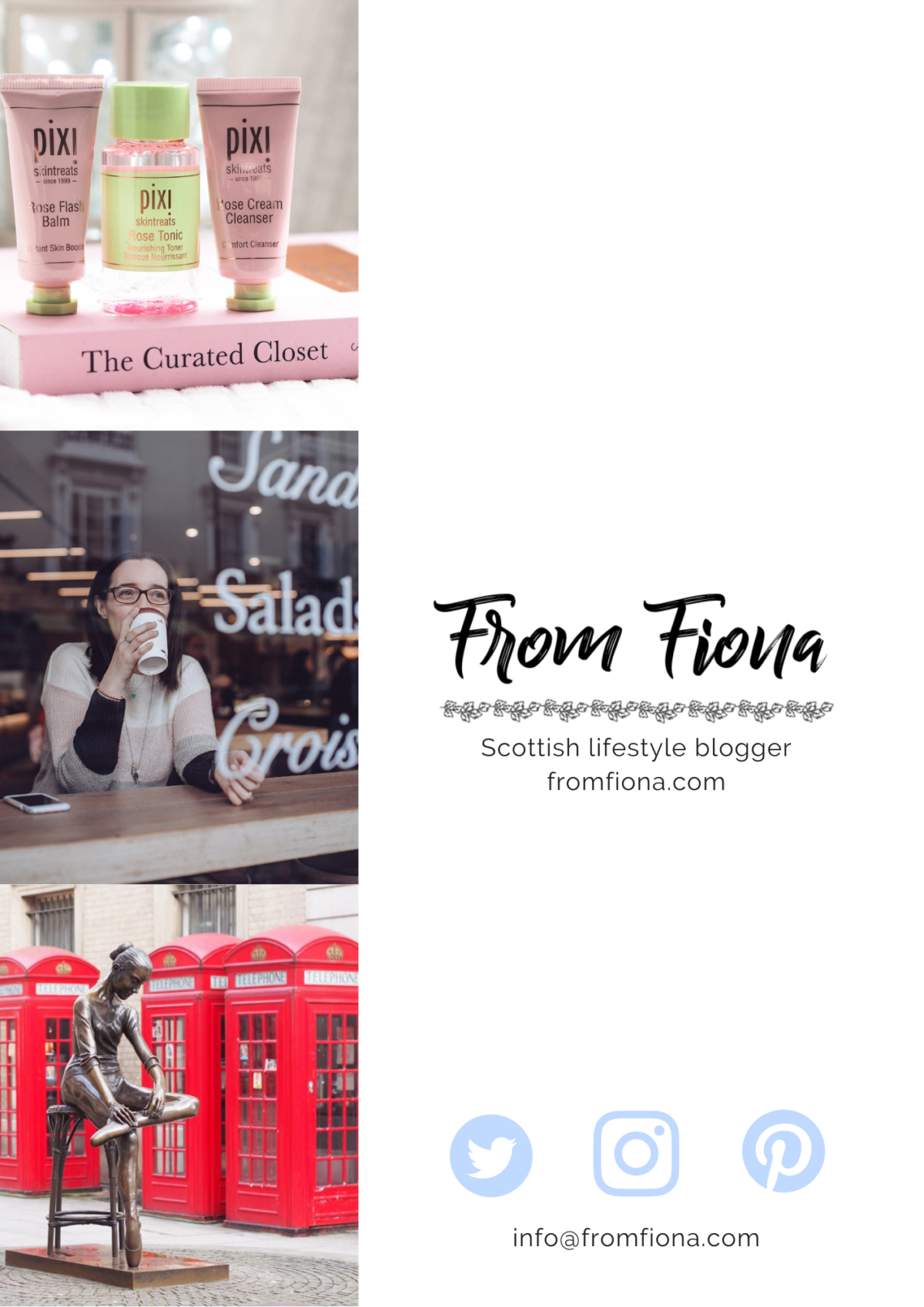
Now I’ve covered how to go about creating your media kit, the next thing to think about is what you need to include in your media kit to show as much as possible. I’ve broken it down to the headings I’ve used in my media kit and these seem to be the ones that other versions of media kits have used as well. If images are more your thing then uploaded my media kit in full at the end of this post.
LinkS
Somewhere on your media kit you need to include the link to your blog as well as the ones to your social media accounts. I add these as clickable links in the pdf when I the document but even just having the text that copied and pasted is better than nothing.
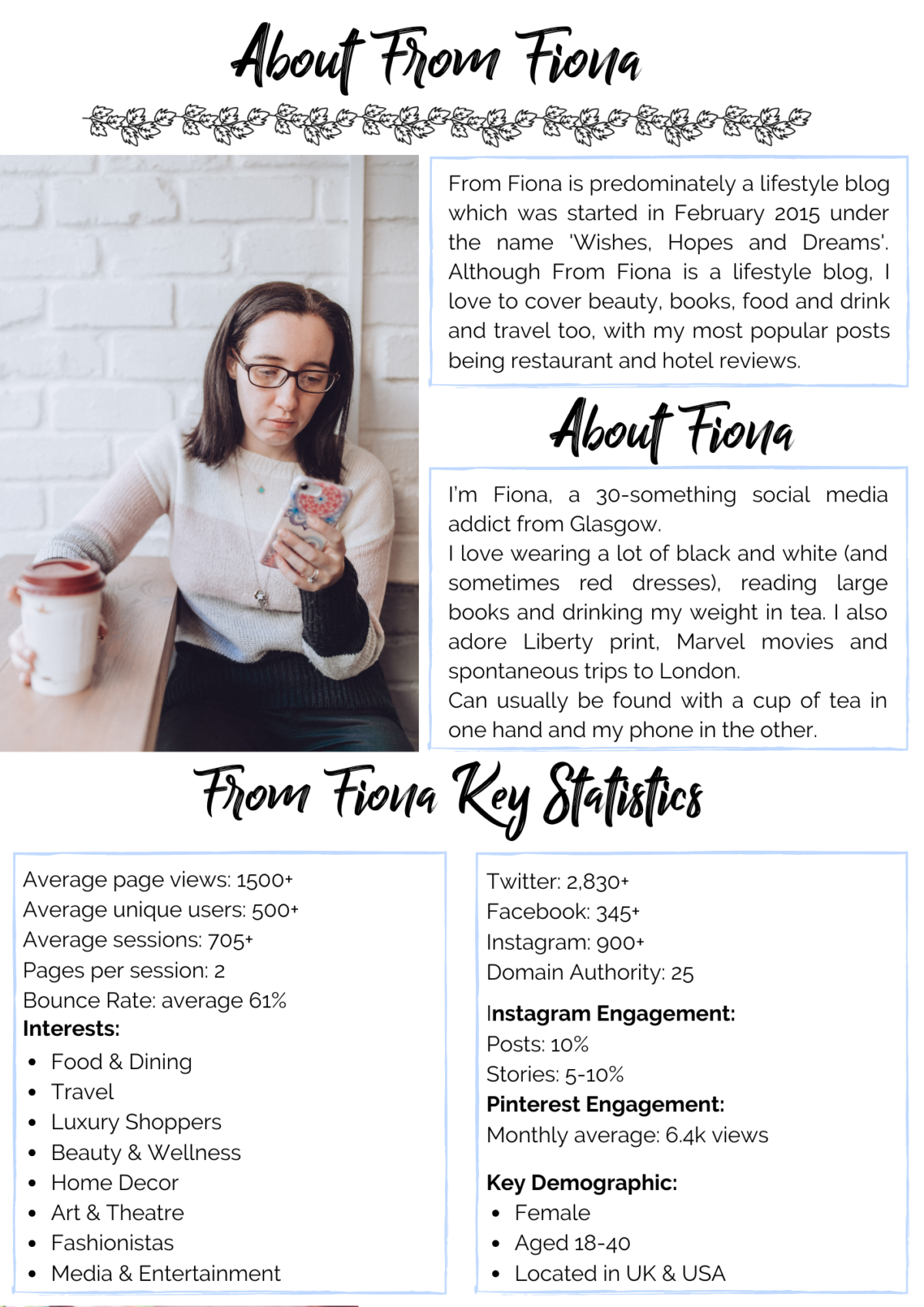
About Your Blog
I use this section to highlight the fact that I rebranded my blog a few years ago and the main topics that I cover. You could call this the ‘elevator pitch’ of the media kit. I’ve boiled down my entire blog to 2 sentences that describe it to someone who’s never read it before and hopefully it makes them want to.
About You
This is a mini version of my about me page on my blog. I’ve written about what makes me tick, what I like and included a photo of myself that shows me in my natural habitat with my phone in one hand a tea in the other!
Key Statistics
There are lots of statistics that could be included in a media kit but I’ve narrowed my list down to the key statistics that I’ve been asked for in the past. I also have a spreadsheet to be able to calculate them as Google Analytics is good but it’s not great at averages. I also include a date range and the last date that the document was updated just in case it ends up out of date.
- Average pageviews
- Average unique users
- Average sessions
- Pages per session
- Bounce rate (average)
- Key demographic details & interests of readers
- Twitter followers
- Facebook likes on page
- Instagram followers
- Instagram engagement rate – posts and stories
- Domain Authority
- Pinterest engagement rate
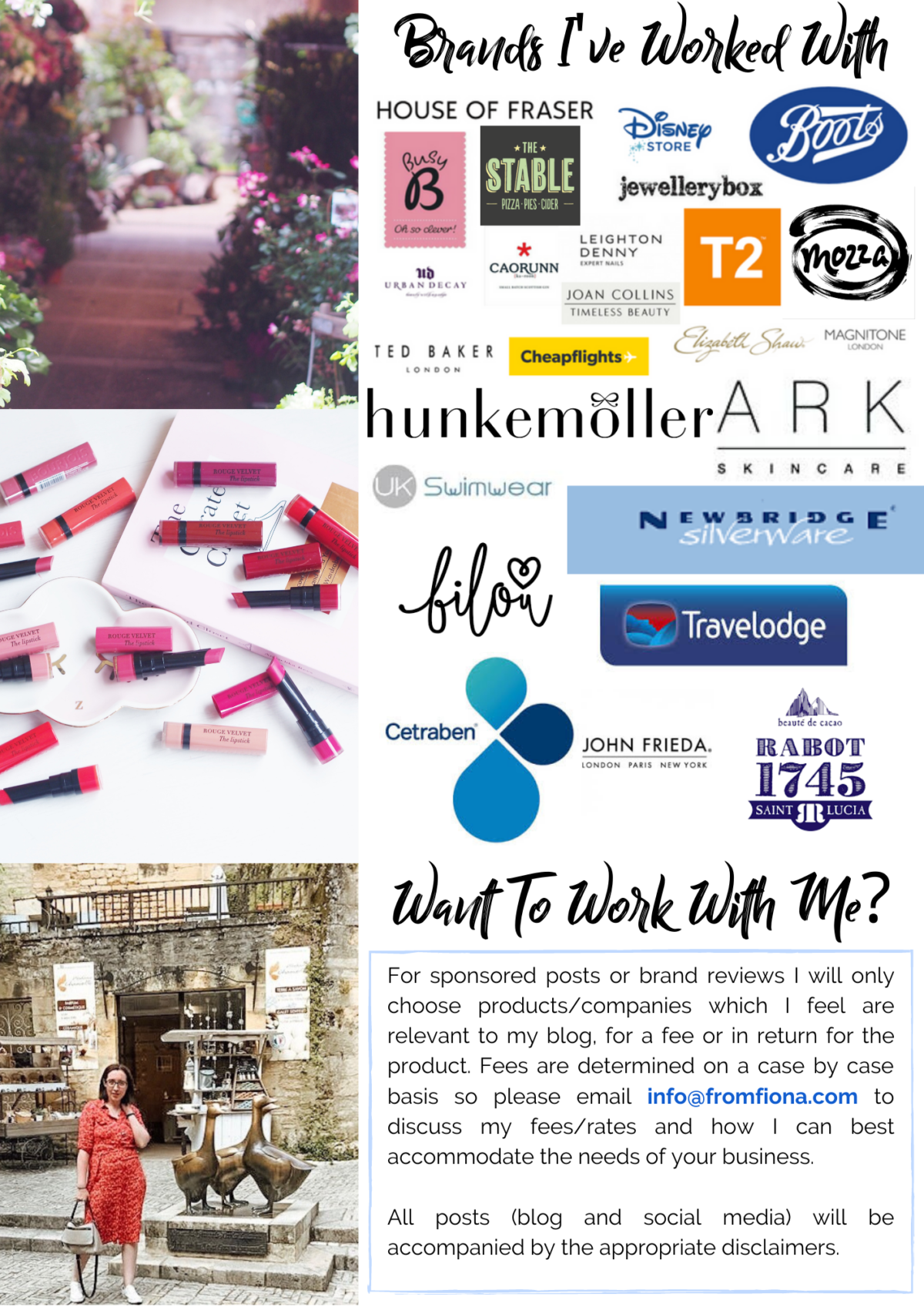
Brands You’ve worked with in the past
I like to show that I’ve had previous successful brand collaborations and this also gives a future collaborator an idea of which brands and topics I cover and if I would be a good fit or not. I’ve done this as a collage of the brand logos as I feel this is the easiest way to be able to spot who I’ve worked with and I’ll be honest it’s something I really enjoy putting together.
What you can offer brands
This is really hard to fit into a small space on a media it but it’s basically a synopsis of the services you can offer. I do a lot of sponsored blog posts but if Instagram ADs are your thing then that’s what you need to highlight. I also include my email address as a method of contact and then any other discussions regarding what’s to be completed are done via email as each client is different.
While I know some bloggers also have a separate rate card I don’t when it comes to blog collaborations as the expectations and requirements are always different and I’d rather set an amount based on what I’m being asked to do. This is however different to my VA business where I have set prices for some of my services as I know how long it’ll take and what to charge.
the full media kit
How to Create It
I’ve used Canva to create my media kit which means I can download it as a pdf or as an image and I can then have it in multiple locations. The images are uploaded to the work with me page while the pdf is saved to google drive and the link to file goes in the signature line of emails so it’s easily accessible to PRs and brands.
Starting a media kit from scratch is time-consuming so templates are the way forward. There are lots of great templates on the market, and these by Design Bundles are great prices and look amazing too. So many of them are editable in Canva, which makes updating them with new stats really easy to do.
The other bonus with them being editable in Canva is you can apply all your own branding in terms of colours and logos as well as your own images. While there are other programs available that offer this service, Canva is the most user friendly that I’ve found.
Pin this for later
win design-related products and services!!
a Rafflecopter giveawayI hope you’ve found this post about media kits useful and it’s given you an idea of the content to include as well as how to present it.


